
Login Guide for UK Players at Crown Coins Casino

Crown Coins Casino is an online social casino platform that gives UK players access to slot-style games, virtual coins, promotions and a browser-based gaming experience. Before opening the lobby, players should understand how the website login works, what information may be requested and how to keep an account protected.
This guide explains the usual login process for Crown Coins Casino, highlights practical security measures and reviews the main points UK players should consider before using the platform. Because website layouts, promotions and availability can change, always check the current terms and conditions displayed on the official Crown Coins Casino website.
What Is Crown Coins Casino?
Crown Coins Casino is designed around social casino play rather than conventional real-money gambling. Depending on the current rules and the player’s location, the platform may offer virtual coins for games, promotional rewards and other entertainment features. Players should read the site’s eligibility rules carefully, particularly where prize redemptions, sweepstakes or promotional credits are involved.
The casino can generally be accessed through a modern web browser on a desktop computer, tablet or mobile phone. A stable internet connection and an up-to-date browser will help the login page load correctly and reduce interruptions while playing.
How UK Players Can Log In
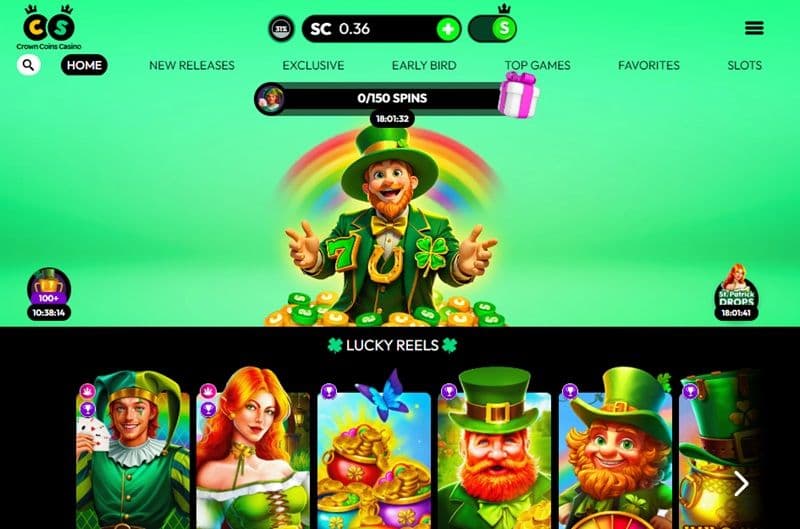
Players should begin by visiting the official Crown Coins Casino website rather than following links from unknown advertisements, social media posts or unsolicited messages. Checking the browser address bar is important: the connection should use HTTPS, and the domain should match the official service exactly.
Authentication steps for secure log in
- Open the official Crown Coins Casino website in a trusted browser.
- Select the Log In, Sign In or similarly labelled button.
- Enter the email address or username linked to the account.
- Type the account password carefully, paying attention to capital letters and special characters.
- Complete any security check, verification prompt or one-time code requested by the platform.
- Confirm that the account dashboard displays your correct profile before starting a game.
Some users may be able to sign in through a connected third-party account. If this option is available, players should confirm that the account provider and Crown Coins Casino show the expected authorisation screens. Never approve a sign-in request that appears unexpectedly or comes from an unfamiliar device.
Creating an Account Before the First Login
New users normally need to select a registration option before they can sign in. The form may request a name, date of birth, email address, password and other details. UK players should provide accurate information, since an account may later require identity or age verification.
Use an email address that you control and check the inbox for a confirmation message. If the email does not arrive, review the spam folder, confirm that the address was typed correctly and request another message only through the official website.
Players should also review the privacy policy, promotional rules, eligibility requirements and any terms concerning virtual currency. Social casino systems can differ considerably, so it is important to understand whether coins have entertainment-only value or whether a separate promotional programme has its own restrictions.
Password Recovery and Login Problems
A forgotten password can usually be recovered through the Forgot Password link on the login page. Enter the email address associated with the account and follow the instructions sent by Crown Coins Casino. A recovery link may expire after a limited period, so complete the process promptly.
If the reset email is missing, avoid creating multiple accounts immediately. Instead, check junk folders, search for messages from the platform and contact official support. Multiple registrations may conflict with promotional or account rules.
Other common login problems include browser caching errors, disabled cookies, outdated software and temporary service interruptions. Players can try clearing cached data, using a private browsing window, switching browsers or restarting the device. Public Wi-Fi can also cause unstable connections, particularly when security filters block parts of the website.
Keeping a Crown Coins Account Secure
Account security starts with a unique password that is not used for email, banking or social media. A long passphrase containing a mixture of letters, numbers and symbols is generally more resistant to guessing. Password managers can help users create and store different credentials securely.
- Do not share your password with friends, relatives or anyone claiming to be support.
- Do not save login details on shared or public computers.
- Log out after using a shared device.
- Keep the operating system, browser and security software updated.
- Use two-step verification if Crown Coins Casino provides it.
- Check account notifications for unfamiliar sign-in activity.
Legitimate support agents should not request a full password. Be cautious if a message asks for payment details, remote computer access or a security code. When in doubt, close the message and contact support through the contact page reached directly from the official website.
UK-Specific Points to Consider
UK players should confirm that Crown Coins Casino accepts registrations from their location and that the current service terms apply to them. Online gaming products can be subject to location restrictions, age requirements, promotional conditions and identity checks. A virtual private network should not be used to bypass geographic controls, as this may breach the site’s rules and lead to account limitations.
Players must meet the applicable minimum age requirement and should never allow another person to use their account. If the platform requests identity documents, submit them only through a secure, official verification channel. Avoid sending sensitive documents through unverified social media accounts or ordinary email addresses unless the site specifically confirms that method.
Responsible play is also important. Set a personal entertainment budget, decide how much time to spend online and stop if the activity becomes stressful or difficult to control. Social casino games may feel similar to traditional slots, even where the account uses virtual coins, so players should read the rules and understand the nature of each feature.
Questions and Answers
Why can’t I log in even though my password is correct?
The problem may be caused by an incorrect email address, a browser issue, a locked account or a temporary technical fault. Recheck the credentials, use the password recovery option and try another supported browser. If the issue remains, contact official support with a description of the error.
Can I log in on a mobile phone?
If the current website supports mobile browsers, UK players can usually access it from a smartphone or tablet. Use a secure connection, keep the browser updated and avoid signing in through links received in suspicious messages.
What should I do if I suspect unauthorised access?
Change the password immediately, sign out of other sessions if that option is available and contact Crown Coins Casino support; Review recent account activity and avoid making further transactions or redemptions until the issue has been investigated.
Is a login the same as proving my identity?
No. Logging in confirms access to an account, while identity verification may require additional documents or information. Verification can be requested for security, age checks, prize eligibility or compliance with the platform’s rules.
Mobile Experience and Browser Performance
The Crown Coins Casino login page should work best with a current version of Chrome, Safari, Edge or another supported browser. On mobile devices, a reliable Wi-Fi or mobile-data connection can prevent repeated sign-outs and incomplete page loads.
Players should avoid installing unofficial applications that claim to provide faster access. Unless the official website clearly links to an application in a recognised app store, the browser version is the safer choice. Keep notifications enabled only when they are useful, and review the permissions requested by any official software before installation.
Support and Account Assistance
If technical or account problems continue, use the support link on the official Crown Coins Casino website. Give support staff the email address connected to the account and a clear explanation of the issue, but do not include the password. Screenshots can be useful when they do not reveal private information, payment details or security codes.
Response times may vary. Avoid opening numerous duplicate tickets, as this can make it harder for support teams to track the original request. Keep copies of important correspondence and note any reference number supplied by the casino.
Final Assessment
For UK players, logging in to Crown Coins Casino should be a straightforward process when the official website, correct credentials and a secure device are used. The most important habits are checking the web address, creating a unique password, completing requested verification and avoiding suspicious messages.
Before playing, review the current eligibility rules, privacy information, promotional terms and responsible-play guidance. Crown Coins Casino may change its login design or account requirements over time, so the official help centre remains the best source for the latest instructions. A cautious approach allows players to enjoy the platform’s games while protecting their personal information and maintaining control of their online activity.


 is a trademark of

Comments are closed.